Use case · Lighting automation
Automate lighting for live DJ sets without timecode
Let your lighting follow the music, even when the DJ doesn’t follow a predetermined set.
Time-line Live analyzes the music as it’s being played, identifies musical events such as builds, drops and breakdowns, and turns them into information your lighting system can use in real time.
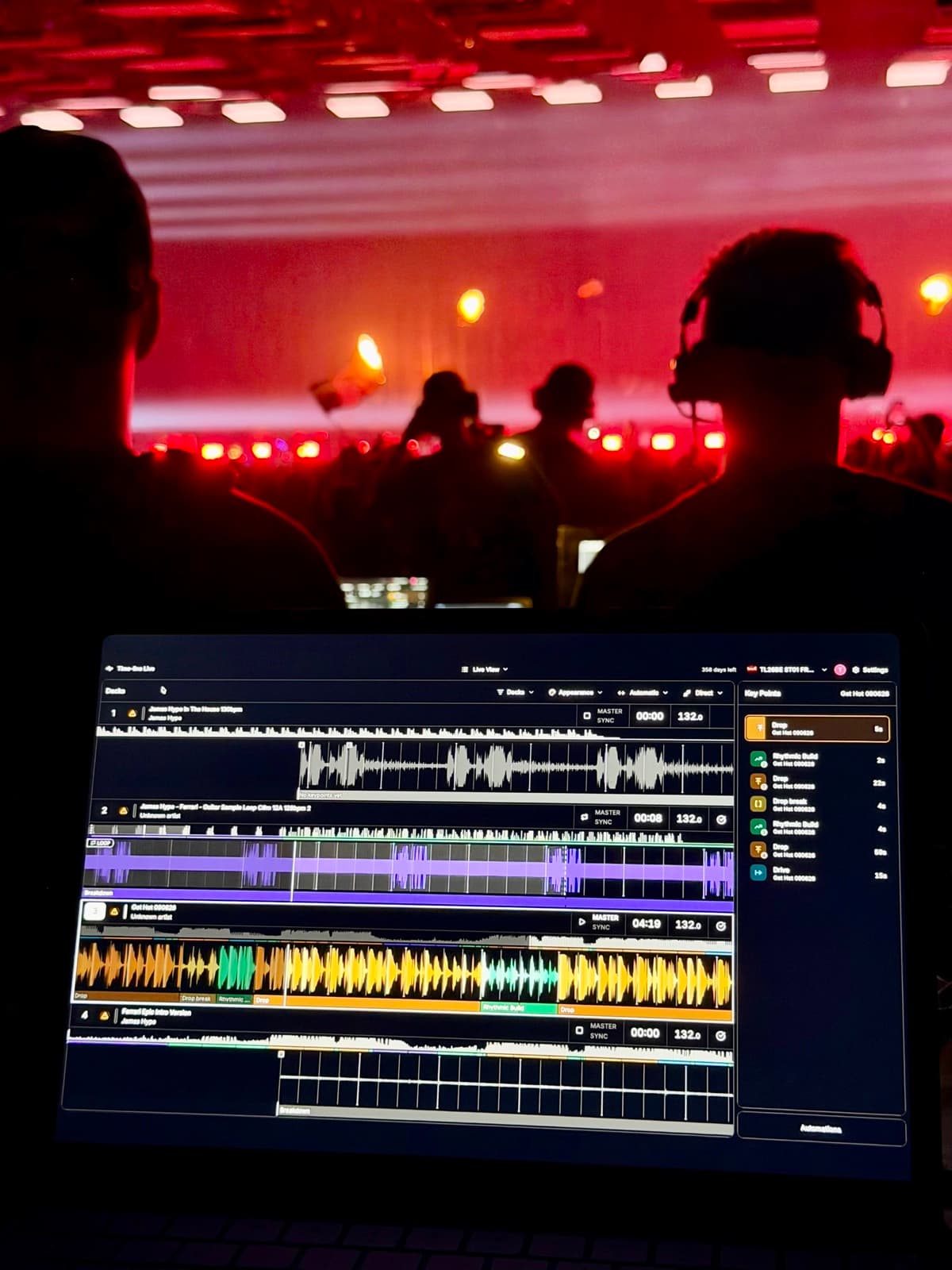
Built for sets that change in the moment
Traditional show automation works best when the performance follows a known timeline. DJ sets don’t always work that way.
Tracks change. Mixes change. A DJ might switch direction or play something completely unexpected.
Time-line Live follows the performance itself. As tracks are loaded, it identifies musical events—what Time-line calls Key Points—such as Builds, Drops and Breakdowns — giving your lighting system musical context in real time.
Go beyond BPM and create lighting that responds to the structure and energy of the music, without programming the DJ set in advance.
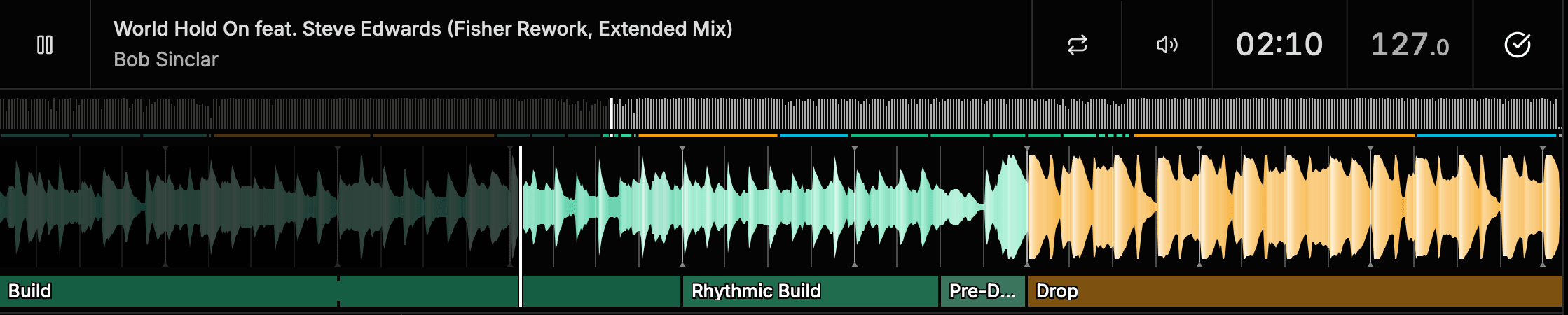
From simple triggers to evolving effects
Use Key Points to trigger cues when musical sections begin or end. Start with simple cues or build more advanced automation around the musical structure of the track.
Drop starts
Trigger a new lighting look.
Breakdown begins
Switch to a lower-energy scene.
Build progresses
Gradually increase intensity as the music builds.
Live BPM
Keep effects pulsing with the music.
Rhythmic Build
Increase strobe rate as the buildup intensifies.
What happens next
Change behavior based on the next musical section.
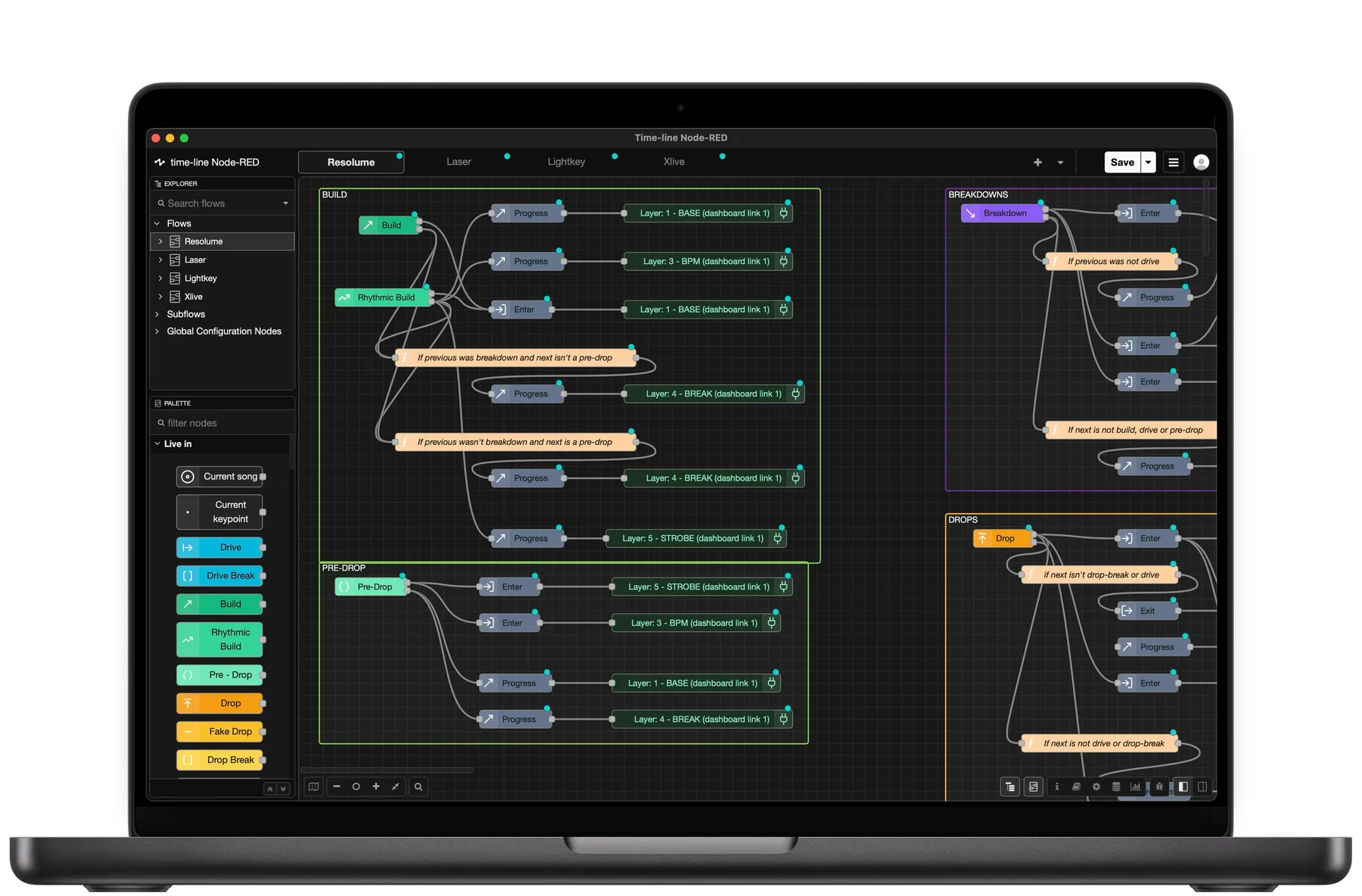
Turn musical context into show commands.
Time-line Live uses Node-RED, a visual programming environment where you can connect Time-line’s musical data to your show systems. Send Key Point triggers to lighting consoles, media servers and other show systems using OSC or MIDI. In Node-RED, you decide what should happen and when.
Stay with the track the audience hears
When multiple decks are in play, automation also needs to know which track to follow.
Time-line’s Auto Switch automatically determines which deck the audience is hearing using information from the DJ equipment together with the musical context of the tracks.
When the active deck changes, Key Points and Automations follow automatically.
How it works
- 1
Connect
Connect
Time-line connects to the DJ gear and follows tracks as they’re loaded and played.
- 2
Understand
Understand
Time-line's music analysis identifies Builds, Drops, Breakdowns and other Key Points.
- 3
Build
Build
Use Key Points, BPM, timing and progression data to create automation in Node-RED.
- 4
Follow
Follow
Time-line automatically follows whichever deck the audience is hearing to keep your automation synchronized.
- 5
Respond
Respond
Trigger or control your lighting system through OSC and MIDI.
Keep the operator in control
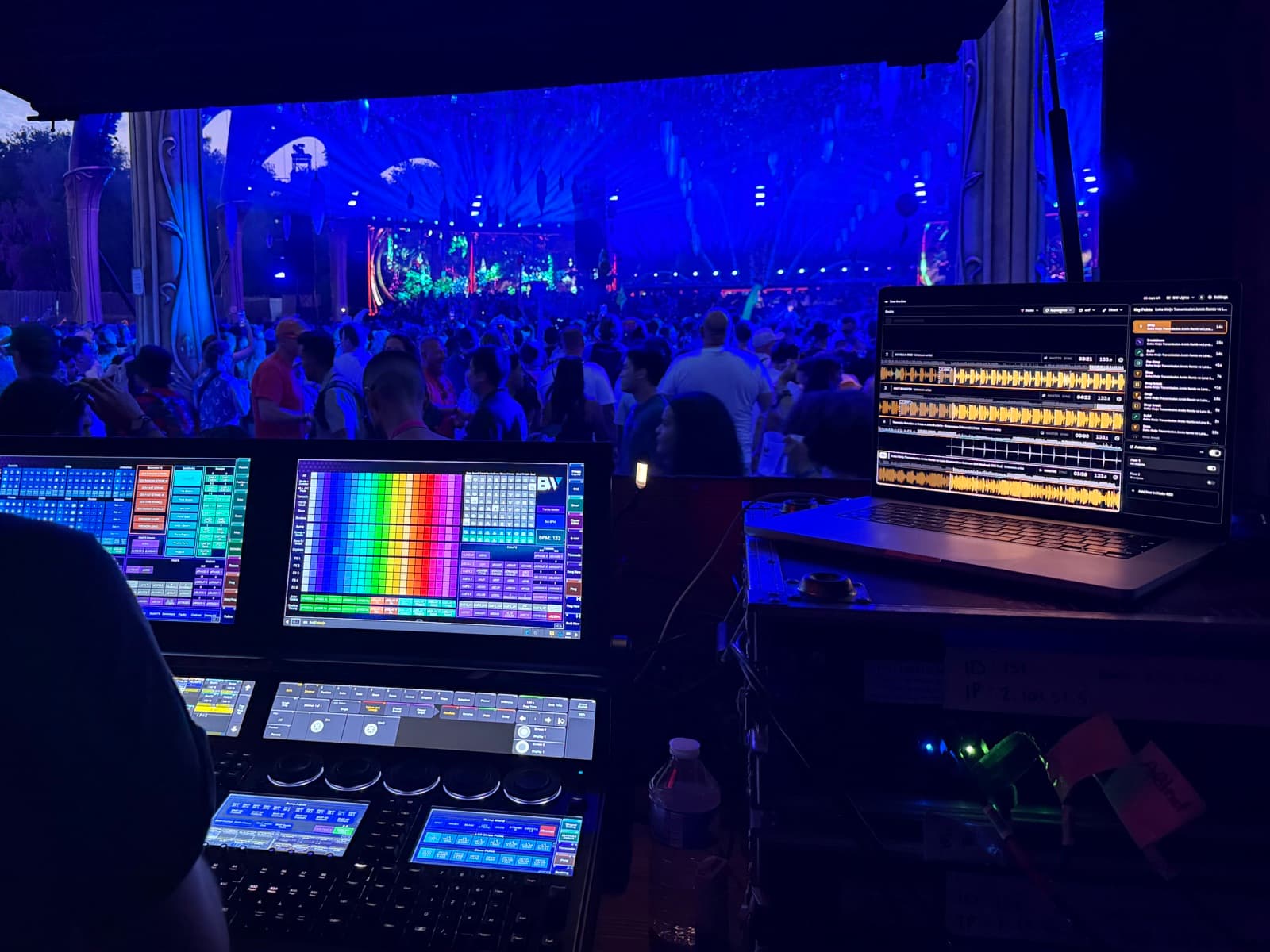
Automation doesn’t have to mean putting the show on autopilot. Time-line can handle repetitive or timing-critical actions while the lighting operator stays in control of the creative decisions that make the show unique.
Automate one effect, a handful of cues or a much larger part of your workflow. You decide how far to take it.
Frequently asked questions
Does the DJ need to play a predetermined set?
No. Time-line analyzes tracks as they’re loaded and follows the performance in real time. The DJ can change tracks, mixes or set direction without breaking the automation.
Do tracks need to be prepared in advance?
No. Key Points are generated automatically when tracks are loaded. No manual track preparation or programming is required.
Which music genres does Time-line support?
Key Point detection is currently optimized for electronic dance music (EDM). Other genres may work, but detection accuracy can vary. We’re continuing to expand and improve genre support over time.
Does Time-line require timecode?
No. Time-line’s musical analysis and Automations don’t depend on a pre-programmed timecode timeline.
Can I still operate the lights manually?
Yes. Time-line is designed to work alongside live operators. You decide what to automate and what to keep under manual control.
What lighting systems can I use?
Time-line can connect to show systems that accept OSC or MIDI. Your automation logic is built in Node-RED, where Time-line’s musical data can be transformed into commands for your lighting or show-control system.
Go deeper
Explore the building blocks behind real-time music analysis and show automation.

Let the music cue the show
Build lighting automation that can follow the DJ — even when you don’t know exactly what they’ll play next.