Use case · DJ visuals automation
Sync live visuals to a DJ set
Let your visuals respond automatically to what’s happening in the music, even when you don’t know what the DJ will play next.
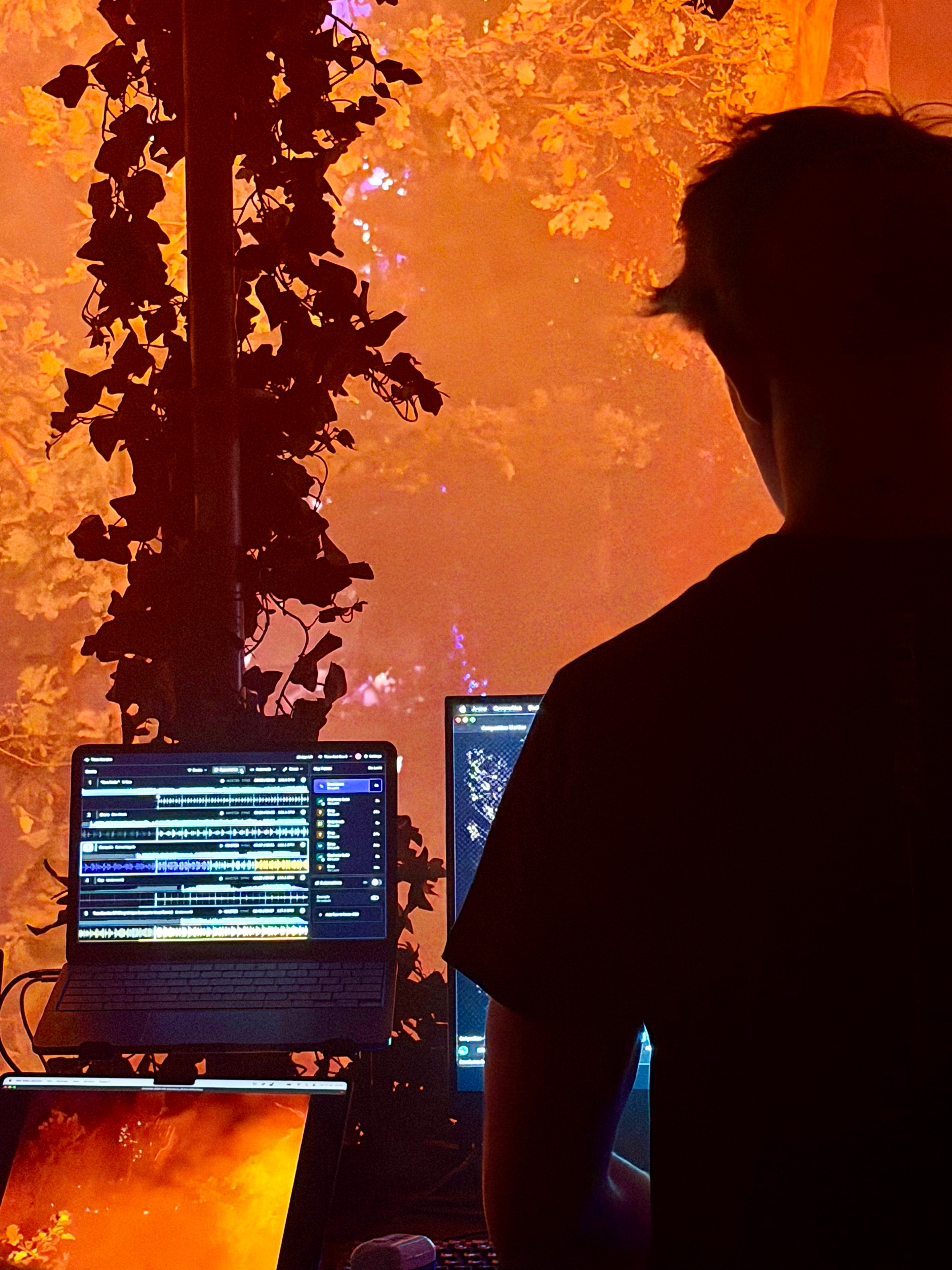
Built for DJ sets that change in the moment
Pre-programmed visuals work well when you know exactly what’s going to happen. Live DJ sets are different: tracks and mixes change, and the DJ may switch direction or play something completely unexpected.
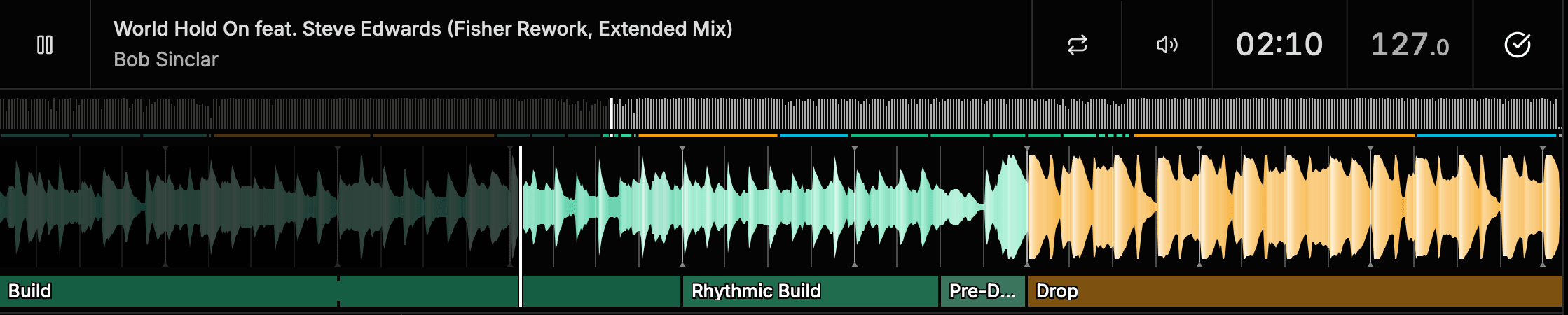
Time-line Live follows the performance itself. As tracks are loaded, it analyzes their musical structure and identifies musical events (what Time-line calls Key Points) such as Builds, Drops, Fake Drops and Breakdowns, giving your visual system real-time musical context without preparing the DJ set in advance.
Go beyond audio-reactive visuals
Audio-reactive visuals can respond to what the audio signal sounds like. BPM can keep an effect moving on the beat.
Time-line Live adds another layer: what’s happening in the music.
Know when a Build is progressing toward a Drop. Recognize when the track enters a Breakdown. Know whether a Build leads into a Drop or a Fake Drop.
That musical context gives you another input for creating visuals that follow the structure and energy of the performance.
Audio signal
React to the incoming signal.
Live BPM
Keep effects moving on the beat.
Key Points
A machine-learning model analyzes musical structure and identifies meaningful sections, revealing the moments that shape what happens next.
From simple triggers to evolving visuals
Time-line Live uses Node-RED, a visual programming environment where you can build automation workflows using Time-line Live’s real-time musical data.
Send the resulting commands via OSC or MIDI to visual software and other show systems. Start with simple triggers or build more advanced logic.
Drop starts
Switch compositions, trigger a clip or launch an effect.
Build progresses
Gradually increase an effect’s intensity as the music builds.
Rhythmic Build
Increase the speed or intensity of a visual parameter.
Breakdown begins
Move into a calmer or lower-intensity visual state.
Live BPM
Keep effects and animations moving with the tempo.
What happens next
Change visual behavior based on the next musical section.
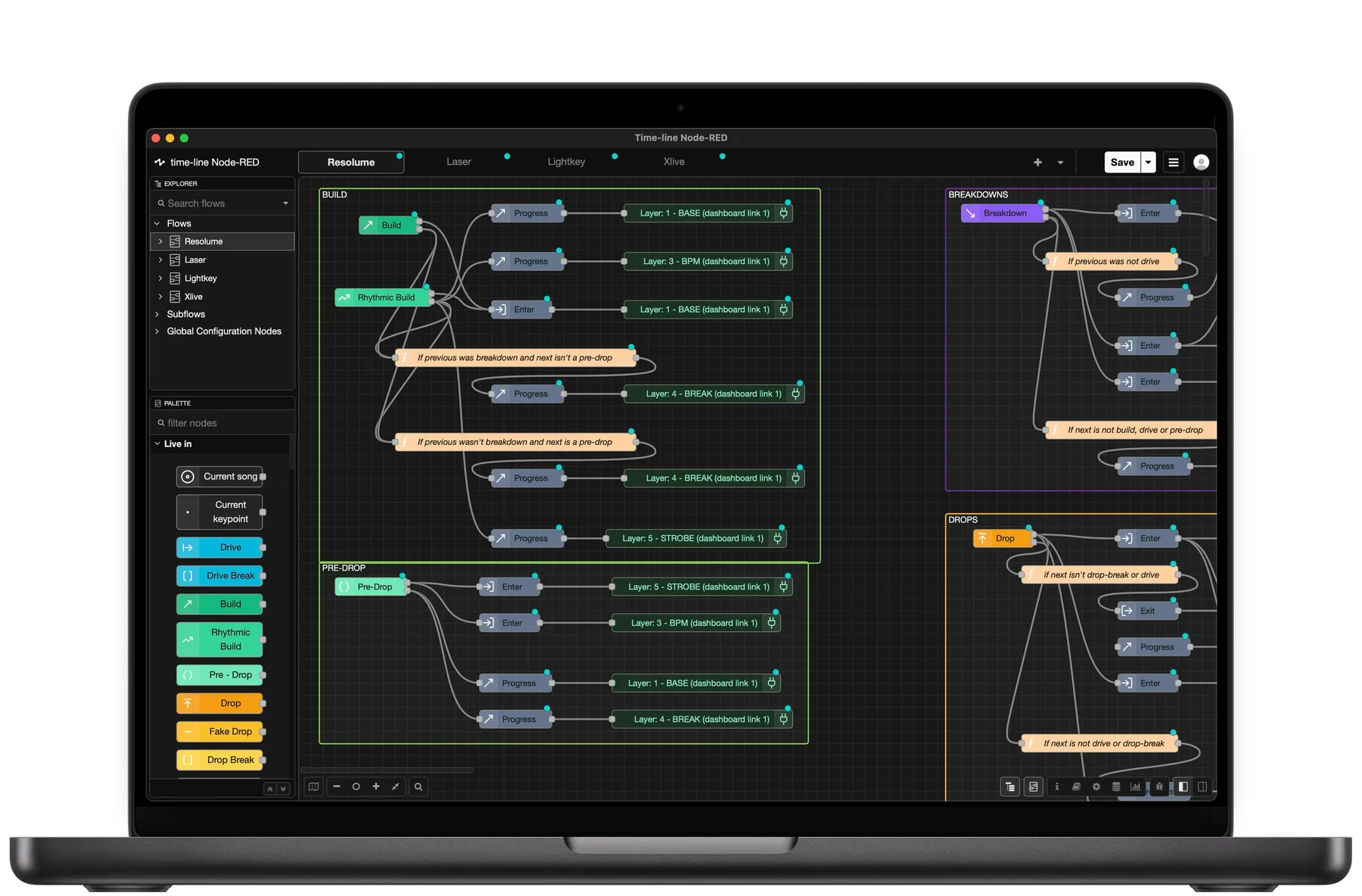
Turn musical context into visual commands.
You decide which musical information matters and what your visual system should do with it.
Learn about automationsConnect to the visual tools you already use
Node-RED lets you route Time-line Live’s musical data to systems that can receive OSC.
Your visual content and programming stay in the tools you already use. Time-line Live provides real-time information about the music as another control input.
Resolume Arena
Keep effects on beat with Ableton Link or control visuals through OSC.
TouchDesigner
Send real-time musical data to control custom visuals, effects and animations.
Unreal Engine
Use OSC to bring live musical context into real-time rendered experiences.
Signal flow
Commands are sent to compatible visual systems via OSC.
Keep your visuals on the beat
Ableton Link keeps your visuals on the beat.
Time-line Live shares the active deck’s BPM and beat phase with compatible applications on the same network. Resolume Arena can use Ableton Link to keep effects, clips and transitions aligned with the DJ.
Learn about Ableton LinkKey Points tell your visuals what’s happening in the music.
Musical structure gives your workflow context beyond tempo, helping visuals respond differently to Builds, Drops, Breakdowns and other meaningful moments.
Learn about Key PointsAutomatically follow the DJ
When multiple decks are in play, your visual workflow needs to follow the track the audience is actually hearing.
Time-line Live’s Auto Switch determines which deck is active using information from the DJ equipment together with the musical context of the tracks.
When the active deck changes, Time-line Live follows automatically. Your Key Points, BPM and automation data stay aligned with the live performance as the DJ mixes from one track to the next.
Learn about Auto SwitchStay in control
Automation doesn’t have to mean automating the entire visual show. Time-line Live gives VJs another set of real-time inputs they can use alongside their existing content, effects and controls.
Automate a single parameter. Trigger a handful of transitions. Build a more complex workflow. Or simply use Time-line Live as additional information while you operate the show manually.
You decide how much of the visual performance responds automatically.
How it works
- 1
Follow the performance
Follow the performance
Time-line Live connects to the DJ setup and follows tracks as they’re loaded and played.
- 2
Understand the music
Understand the music
Time-line's music analysis identifies Builds, Drops, Breakdowns and other Key Points.
- 3
Follow the active deck
Follow the active deck
Time-line automatically follows whichever deck the audience is hearing, keeping everything aligned as the DJ mixes.
- 4
Build your workflow
Build your workflow
Use Key Points, BPM, timing and progression data to create logic in Node-RED.
- 5
Control your visuals
Control your visuals
Send commands via OSC, or use Ableton Link for BPM and beat synchronization.
Frequently asked questions
Can Time-line Live control Resolume?
Time-line Live can provide musical data to Resolume in several ways. Resolume Arena supports Ableton Link for BPM and beat synchronization, while custom automation workflows can send commands from Node-RED to Resolume via OSC.
Can I use Time-line Live with TouchDesigner?
Yes. You can build workflows in Node-RED that send Time-line Live’s real-time musical data to TouchDesigner via OSC.
Can I use Time-line Live with Unreal Engine?
Time-line Live can be incorporated into Unreal Engine workflows that receive OSC. Node-RED lets you decide which Time-line Live data to use and what commands to send to your Unreal workflow.
Can I use other VJ or visual software?
Time-line Live isn’t limited to Resolume, TouchDesigner or Unreal Engine. Node-RED can send OSC messages to other applications and systems that support OSC or MIDI.
Can Time-line Live send BPM?
Yes. Live BPM is available in Time-line Live’s automation data and can be routed through Node-RED. Time-line Live also supports Ableton Link for applications that need continuous BPM and beat-phase synchronization.
Do visuals need to be prepared in Time-line Live?
No. Your visual content and programming remain in your existing visual software. Time-line Live provides live musical information that you can incorporate into that workflow.
Do I need to know the DJ’s set in advance?
No. Time-line Live analyzes tracks as they’re loaded and follows the live performance.
Which music genres does Key Point detection support?
Key Point detection is currently optimized for electronic dance music (EDM). Other genres may work, but detection accuracy can vary. BPM and Ableton Link synchronization are not dependent on Key Point detection.
Go deeper
Explore the tools behind real-time musical analysis and visual automation.

Let the music drive the visuals
Give your visual workflow real-time information about what the DJ is playing from BPM and beat to Builds, Drops and Breakdowns.