Use case · Live DJ monitoring
See what’s next in a live DJ set
See what the DJ is playing and what’s coming next. Time-line Live shows track data, BPM, live waveforms, and flags upcoming builds, breakdowns and drops (what Time-line calls Key Points) before they happen.
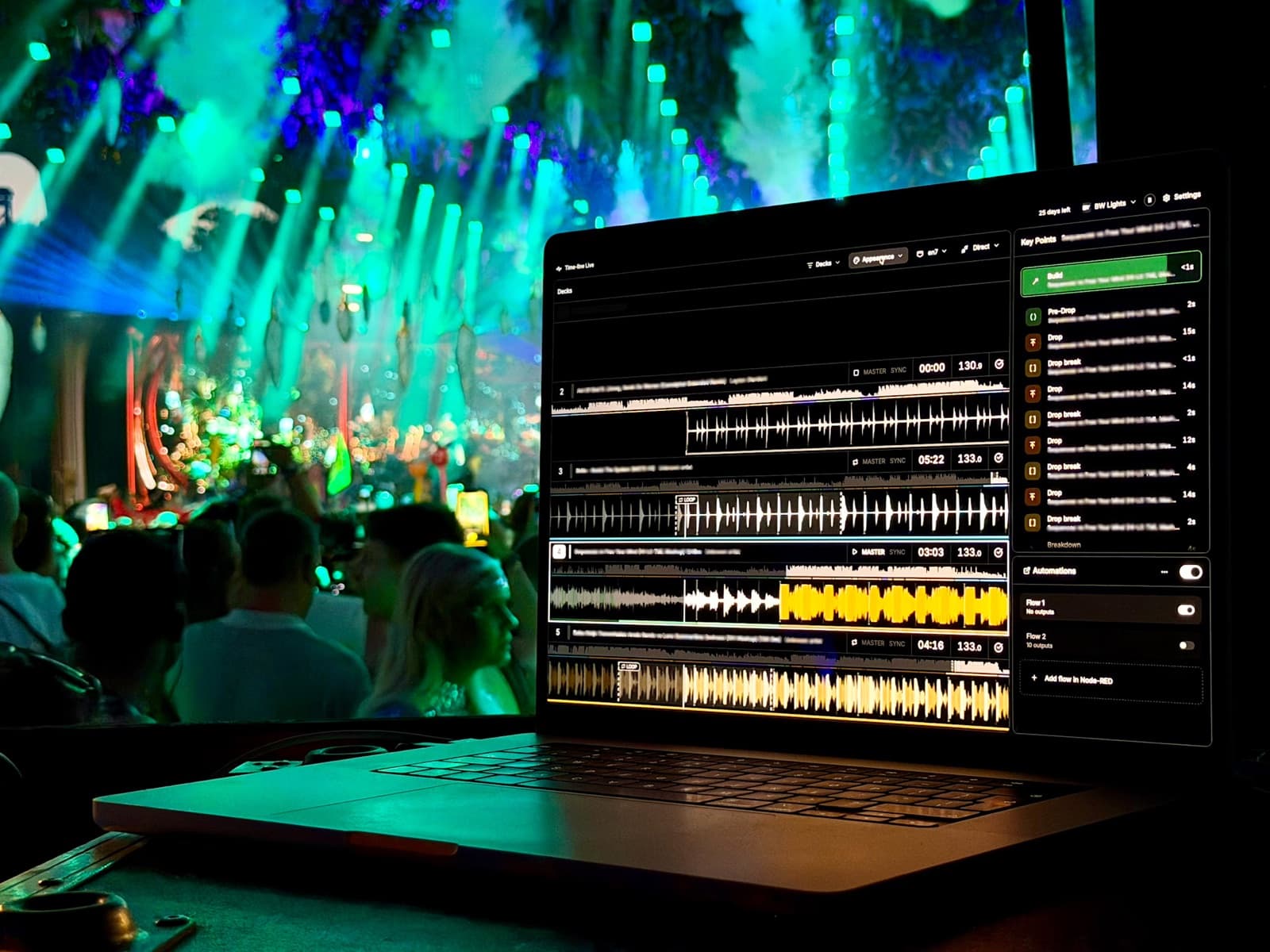
Everything you need to follow the set
See every loaded track with its name, time remaining, live BPM and waveform. In addition, Key Points reveal each track’s musical structure including Builds, Drops, Fake Drops, Breakdowns, and more.
Key Points are generated by a machine-learning model trained to recognize musical structure. It analyzes how each track develops and identifies meaningful sections. Analysis happens in real time locally on your Mac, no internet required.
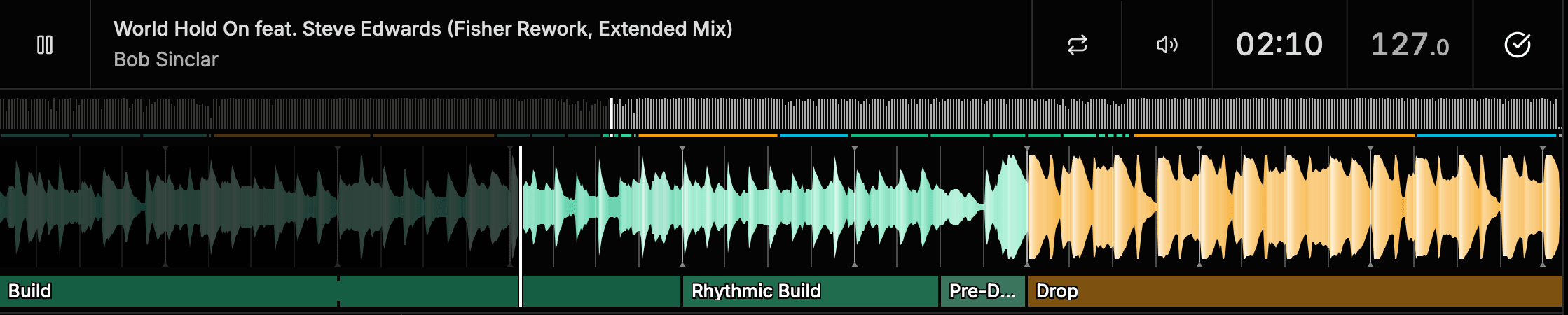
See the Drop before it happens
When you’re operating a show around a DJ, you’re constantly listening for clues about what might happen next.
Is this build about to drop? Is the energy about to come down? How much longer does this section have?
Time-line gives you that context visually. Knowing what’s coming gives you more time to make creative decisions.
Lighting
Prepare the next look before an approaching Drop.
Visuals
Get the next clip, composition or effect ready.
SFX and special effects
Prepare cues for important musical moments.
Show direction
See how the performance is developing in real time.
Built for DJ sets you don’t know in advance
A DJ doesn’t need to provide a setlist. Tracks don’t need to be analyzed or prepared by the production team before the show.
Time-line analyzes tracks as soon as they’re loaded by the DJ and displays their musical structure in real time. No internet connection required. Track analysis runs locally on your Mac.
That makes it especially useful for festivals, clubs and other live environments where production teams may have little or no advance knowledge of what an artist is going to play.
See every deck. Know which one is active.
Time-line keeps every connected deck visible at all times. With Auto Switch, the active deck is highlighted with a bold white border, so you can immediately see what the audience is hearing without losing context across the rest of the DJ setup.
Learn about Auto SwitchStart simple. Automate later.
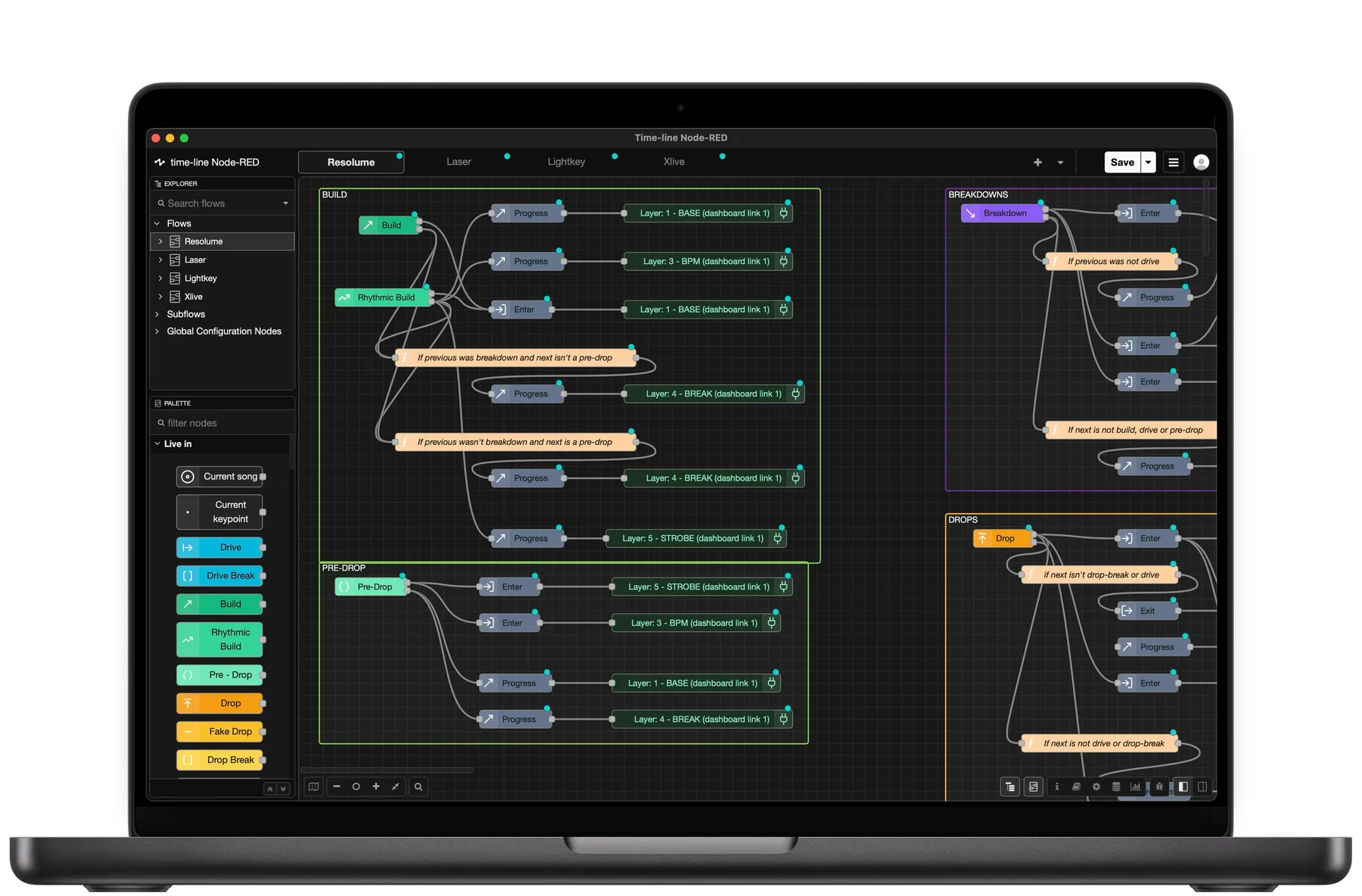
You can use Time-line Live purely as a visual assistant alongside your existing show workflow. If you later want to automate part of the show, the same real-time information can be used in Node-RED to send commands to lighting, visual and other show systems via OSC or MIDI.
How it works
- 1
Connect to the DJ setup
Connect to the DJ setup
Time-line connects to compatible DJ players over the network.
- 2
See what’s loaded
See what’s loaded
View track information, BPM, duration and waveforms across the connected players.
- 3
See the musical structure
See the musical structure
Identify Builds, Drops, Breakdowns and other Key Points as tracks are loaded.
- 4
Follow the performance
Follow the performance
Watch the music develop and see important changes before they happen.
Frequently asked questions
What information can I see in Time-line?
Time-line displays live information from the connected DJ players, including track information, BPM, duration, playback position and waveforms. With Pro, you also get AI-powered Key Points that show the musical structure of the tracks, including Builds, Drops and Breakdowns.
Does the DJ need to share their setlist?
No. Time-line follows the DJ players directly and analyzes tracks as they’re loaded during the performance.
Do I need to prepare the tracks beforehand?
No. Key Points are generated automatically when tracks are loaded. The production team doesn’t need to analyze or prepare the DJ’s music in advance.
Does track analysis require an internet connection?
No. Track analysis runs locally on your Mac, so Time-line can analyze tracks and display their musical structure without an internet connection.
Does Time-line control my show?
Only if you want it to. You can use Time-line purely as a visual aid without connecting it to any other show system.
Can I see more than one deck?
Yes. Time-line keeps every connected deck visible. Auto Switch highlights the active deck with a bold white border so you can see what the audience is hearing without losing sight of the other decks.
Which music genres does Key Point detection support?
Key Point detection is currently optimized for electronic dance music (EDM). Other genres may work, but detection accuracy can vary. We’re continuing to expand and improve genre support over time.
Go deeper
Explore the tools behind real-time DJ monitoring and musical structure detection.
Using Time-line Live
Learn how to monitor connected decks and follow a live DJ performance.
Key Points
Understand the musical sections Time-line detects.
Auto Switch
See how Time-line identifies and highlights the active deck.
Automations
Use the same musical data to automate lighting, visuals and other show systems.

Know what’s coming next
See what the DJ is playing, understand where the music is going and give your production team more time to react.